


Tagged: Kubernetes Toggle Comment Threads | Keyboard Shortcuts
-
Wang
-
Wang
-
Wang
Good playlist to go through k8s
-
Anonymous
-
-
Wang
-
Wang
SpringOne Platform 2019 in Austin, https://springoneplatform.io/

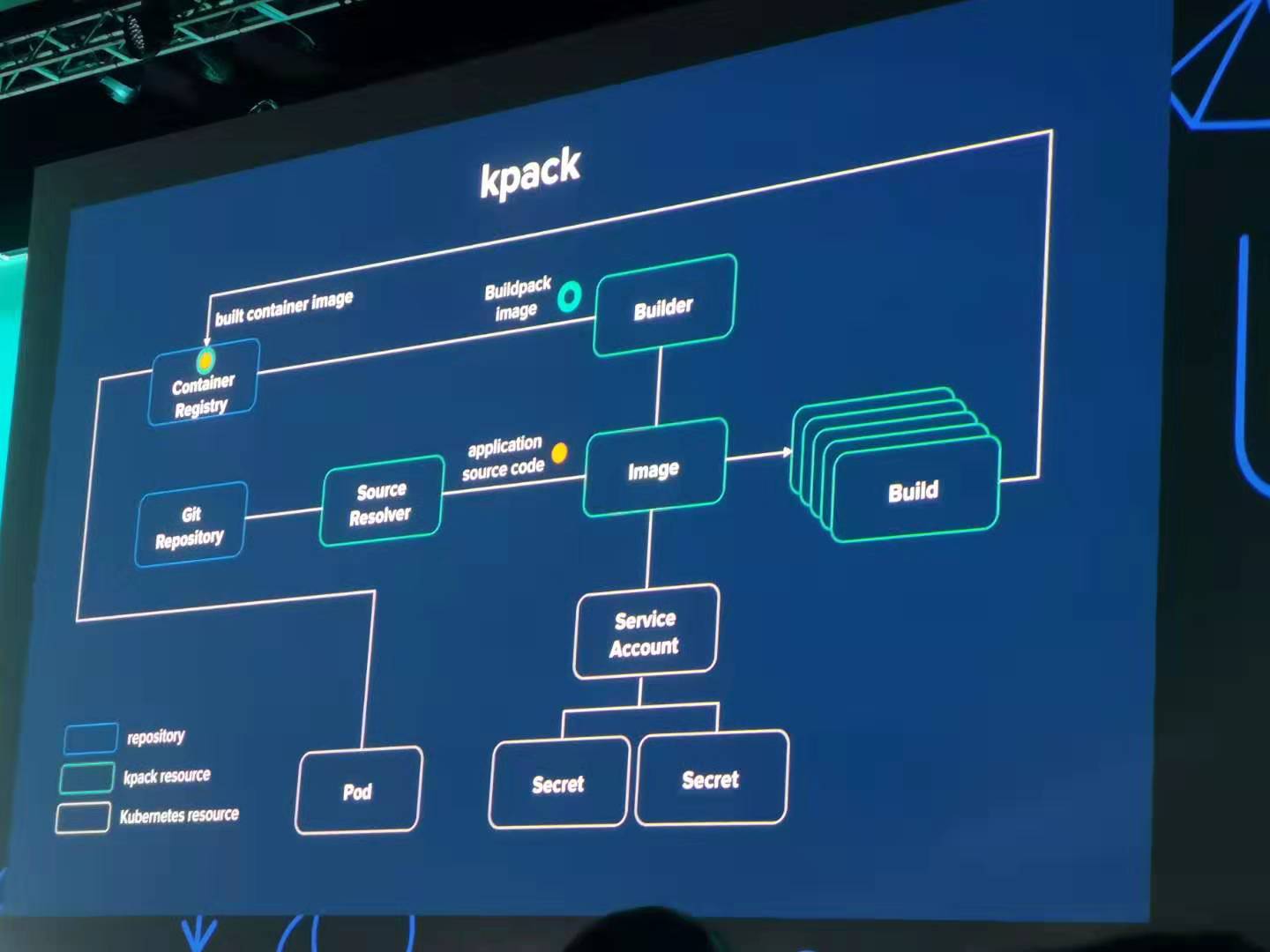
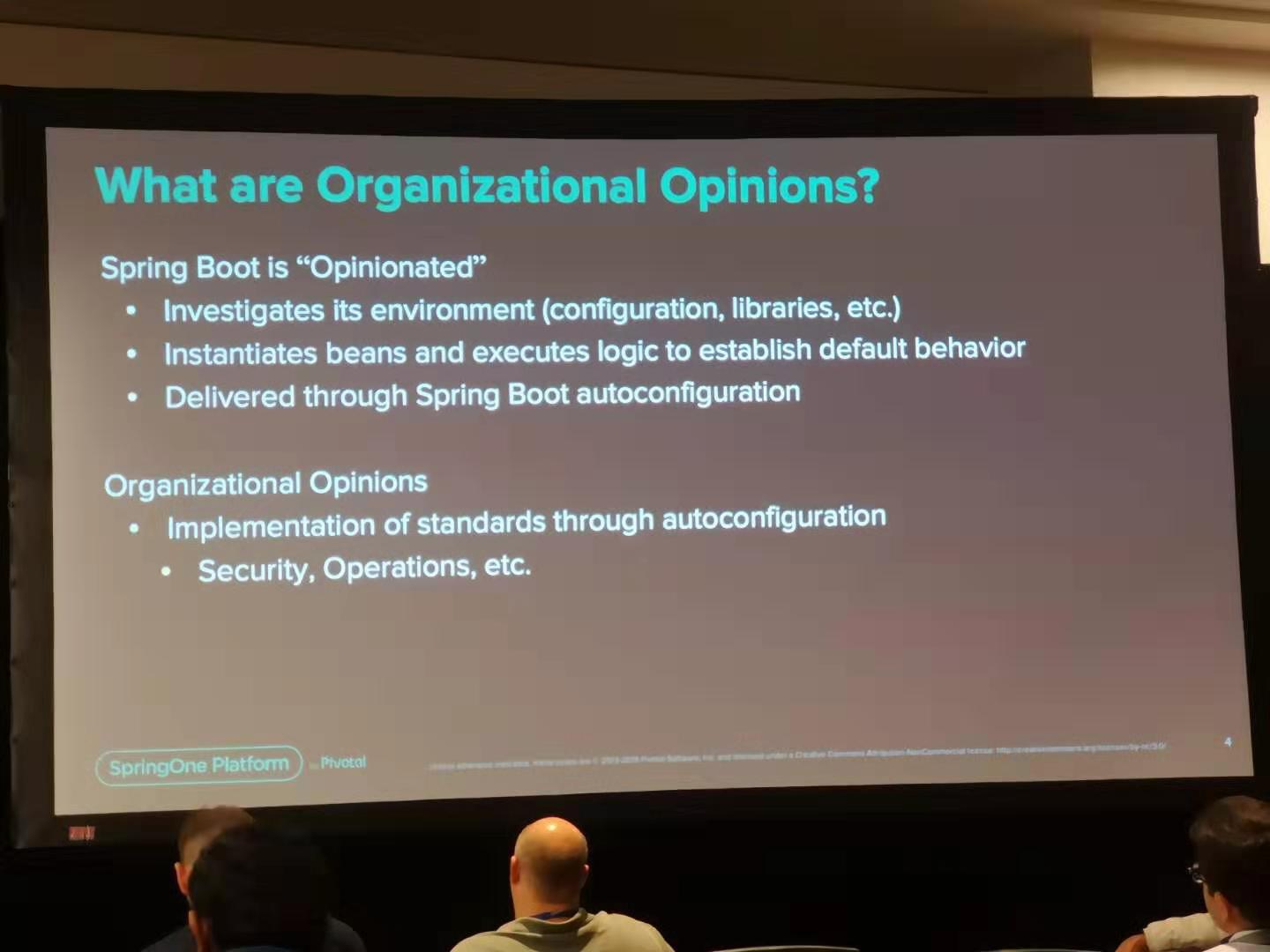

-
Wang
Istio playbook
Cloud platforms provide a wealth of benefits for the organizations that use them. However, there’s no denying that adopting the cloud can put strains on DevOps teams. Developers must use microservices to architect for portability, meanwhile operators are managing extremely large hybrid and multi-cloud deployments. Istio lets you connect, secure, control, and observe services.
First, download Istio release version, unzip the package and enter the directory.
Second, verify installation environment
bin/istioctl verify-install
Next, deploy Istio and select the demo profile which enable many features like tracing/kiali/grafana
bin/istioctl manifest apply --set profile=demo
Then, check Istio pods’ status, make sure all the related pods are running
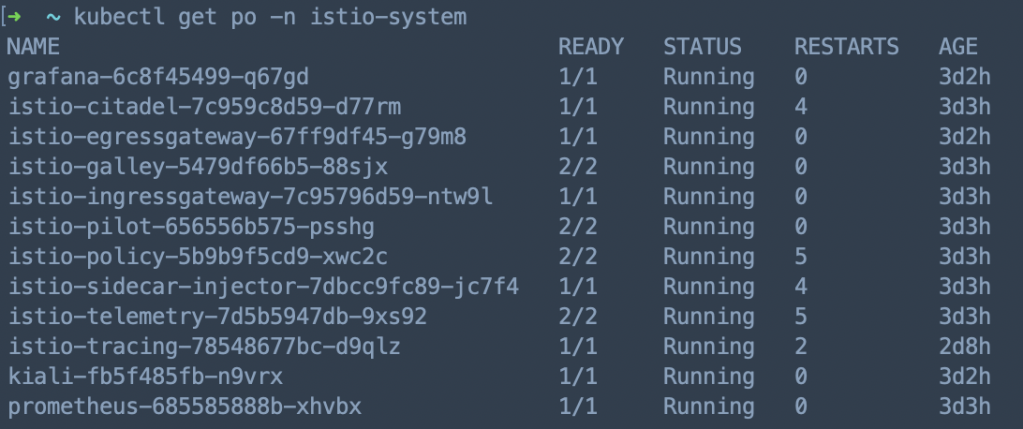
Istio Commands
- authn: Interact with Istio authentication policies
- authz: (authz is experimental. Use
istioctl experimental authz) - convert-ingress: Convert Ingress configuration into Istio VirtualService configuration
- dashboard: Access to Istio web UIs like kiali, grafana, prometheus, jaeger
- deregister: De-registers a service instance
- experimental: Experimental commands that may be modified or deprecated
- help: Help about any command
- kube-inject: Inject Envoy sidecar into Kubernetes pod resources
- manifest: Commands related to Istio manifests
- profile: Commands related to Istio configuration profiles
- proxy-config: Retrieve information about proxy configuration from Envoy [kube only]
- proxy-status: Retrieves the synchronization status of each Envoy in the mesh [kube only]
- register: Registers a service instance (e.g. VM) joining the mesh
- validate: Validate Istio policy and rules
- verify-install: Verifies Istio Installation Status or performs pre-check for the cluster before Istio installation
- version: Prints out build version information
-
Wang
Configure prompt in your Spinnaker pipeline
When you deploy your application, there might be some steps need your confirmation to ensure this stage is ok to proceed, Spinnaker provide “Judgment Configuration” mechanism to implement this.
When you add stage in your pipeline, you can select this functionality:
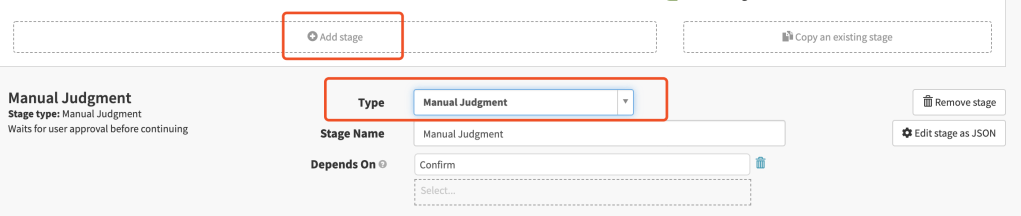
Below is my configuration:
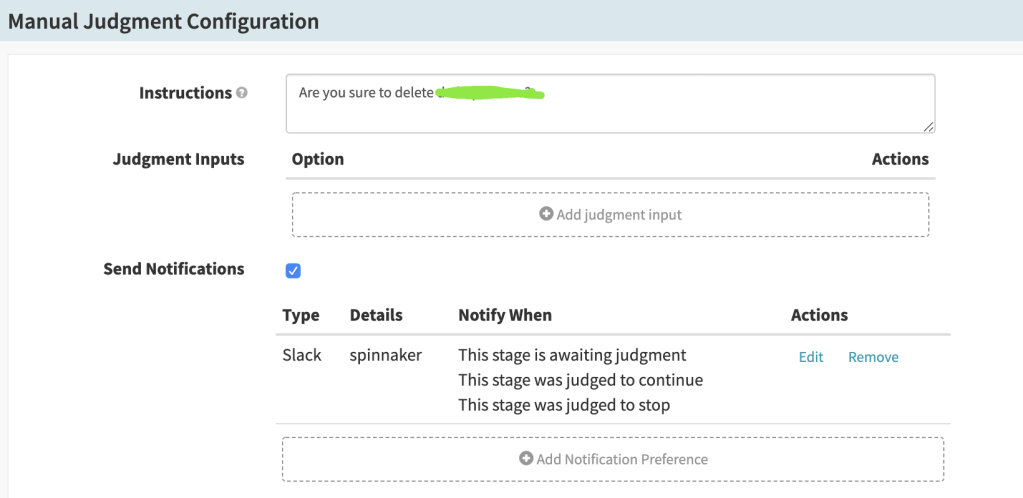
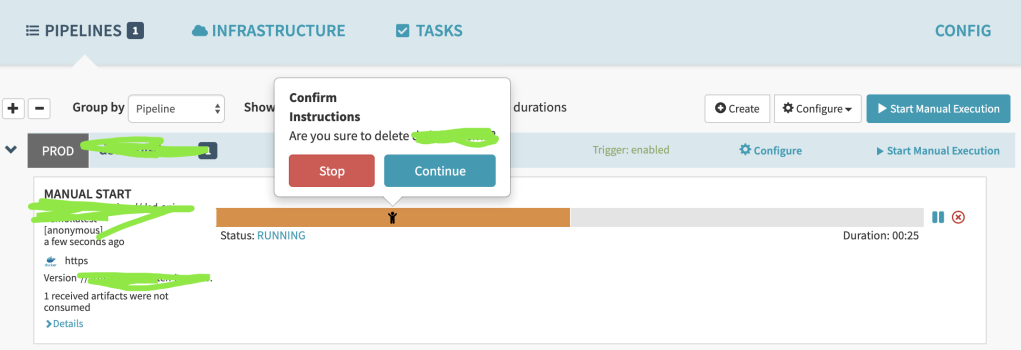
Then when you deploy your application you will see the prompt, and you can decide whether proceed or not.
-
Wang
Separate CD process from Jenkins to Spinnaker
Spinnaker is an open-source CD tool which is developed by Netflix, now it’s integrated by cloud providers like AWS/GCP/Azure, you can customize your CD process freely, spinnaker doesn’t want to replace Jenkins, they’re focus on different domains.
It’s a little complex to build Spinnaker, I deployed it by helm in our in-house k8s cluster, and did some modifications on the official chart.
Then I deployed Spinnaker just like:
helm repo update
helm dependency update
helm install --namespace=<NAMESPACE> --name <DEPLOY_NAME> <CHART DIRECTORY>
Wait for a while you can see all the spinnaker related pods are running:

Then you can expose Spinnaker deck service:
export DECK_POD=$(kubectl get pods --namespace delivery-spinnaker -l "cluster=spin-deck" -o jsonpath="{.items[0].metadata.name}")
kubectl port-forward --namespace delivery-spinnaker $DECK_POD 30900
Now you can visit Spinnaker through browser by http://IP:30900
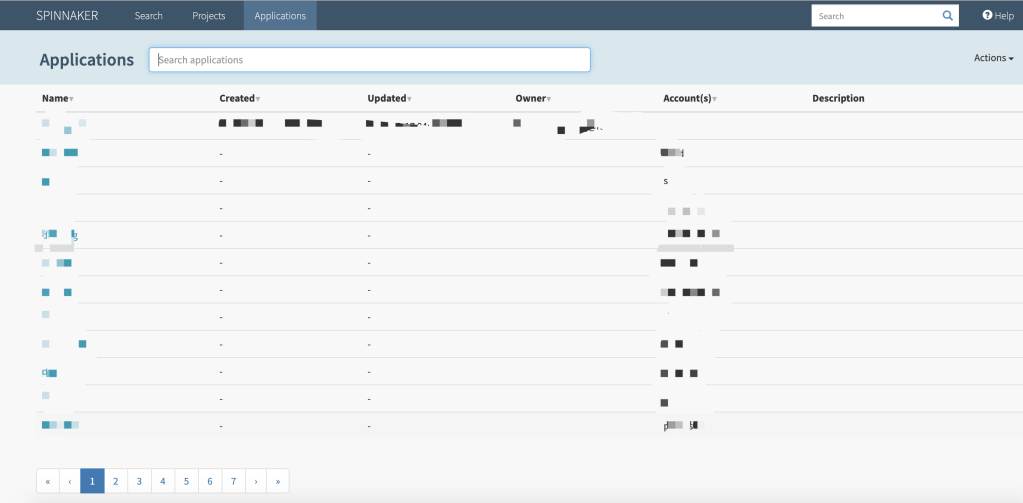
Here is a example how I deploy my application through Spinnaker
1.Create Application & Project
2.Configure Pipeline under the application
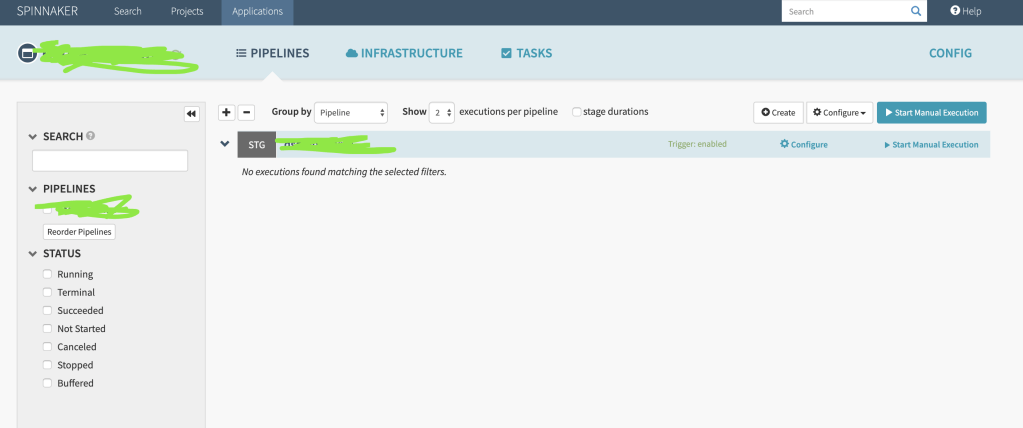
3.Trigger the pipeline manually
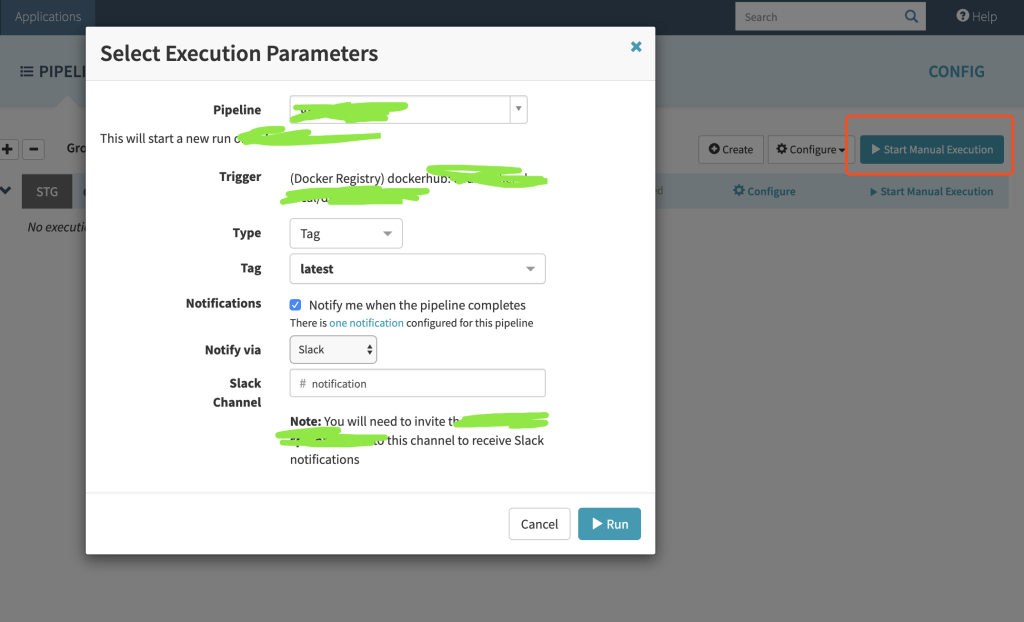
4.Check the deployment result
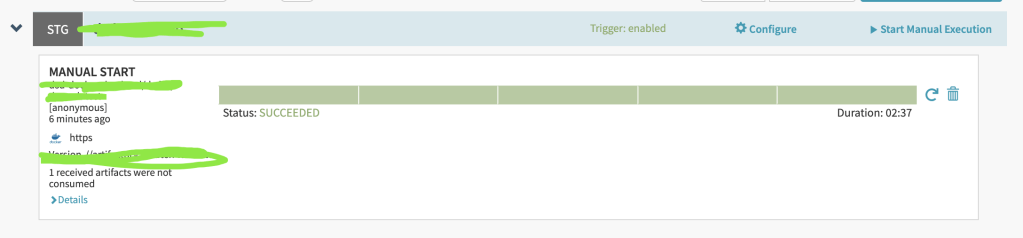
P.S. Also you can check your k8s cluster whether the pods are deployed successfully.
-
Wang
Kubernetes node in “NotReady” status
Rencetly I found some k8s nodes became “NotReady”, I checked disk and memory, they both seems fine.
[xxx@xxx-xxx ~]# kubectl describe node xxx-xxx
...
...
Conditions:
  Type             Status    LastHeartbeatTime                 LastTransitionTime                Reason                    Message
  ----             ------    -----------------                 ------------------                ------                    -------
  ...
  PIDPressure      False     Fri, 10 May 2019 09:24:43 +0900   Fri, 10 May 2018 00:10:12 +0900   KubeletHasSufficientPID   kubelet has sufficient PID available
  ...
Then I restarted kubelet on server and checked logs, I found:
[xxx@xxx-xxx ~]# systemctl status kubelet
● kubelet.service - Kubernetes Kubelet Server
   Loaded: loaded (/etc/systemd/system/kubelet.service; enabled; vendor preset: disabled)
...
May 10 12:30:30 xxx-xxx kubelet[16776]: F0322 12:30:30.810434   16776 server.go:233] failed to run Kubelet: Running with swap on is not supported, plea...
...
So I checked server’s status and turn off swap, then I restarted kubelet and the nodes went well.
[xxx@xxx-xxx ~]# swapoff -a
[xxx@xxx-xxx ~]# systemctl restart kubelet
-
Wang

 Anonymous is discussing.
 Mr Wang and
  Chunyi are discussing.

 Wang's Tech Blog
Reply